DeepLink Misconfiguration: Accessing PIX and Account Data
While analyzing an application, I noticed that some deeplink calls contained the “path” parameter, and this parameter was being used to define the path of the WebView that the application was accessing.
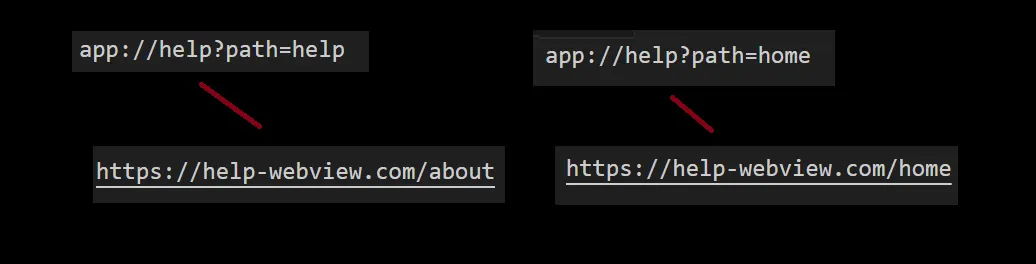
Controlling the Path with Deeplinks
So, we could control the path that the WebView was loading, but what if there was an “@” in the path parameter?
If we try to put an “@” in the path parameter, we can control the site that will be loaded in the application’s WebView because instead of accessing https://help-webview.com, the WebView will load whatever comes after the “@”.
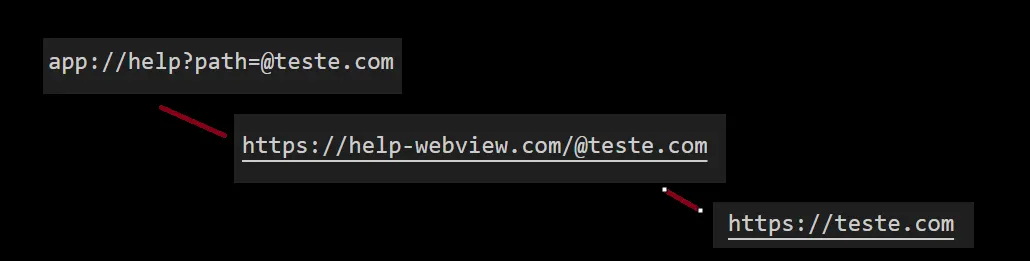
When a browser encounters a URL with an “@” symbol, such as https://legit.com@evil.com, it interprets the part before the “@” (in this case, legit.com) as the user credentials (username) for authentication. The actual URL that the browser will navigate to is the part after the “@” (in this case, evil.com).
Therefore, when you enter https://legit.com@evil.com in the browser, it ignores legit.com and navigates to https://evil.com. This behavior can be exploited to create deceptive links that appear to lead to a trusted site but actually redirect to a different, potentially malicious site.
For example:
•	URL entered: https://legit.com@evil.com
•	URL loaded: https://evil.com
Open Redirect in WebView
Now, in summary, we would have an open redirect in the WebView. However, since it is a financial application, I would like to find a way to further impact this vulnerability. Analyzing the WebView that the application was supposed to load, I found in the libs that the page loads a WebView-bridge, which is essentially a bridge for communication/interaction between the page and the application.
Custom Bridge Implementation
I think you can see where this is going, right?
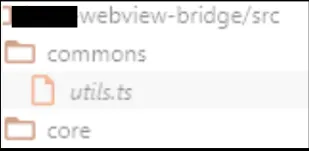
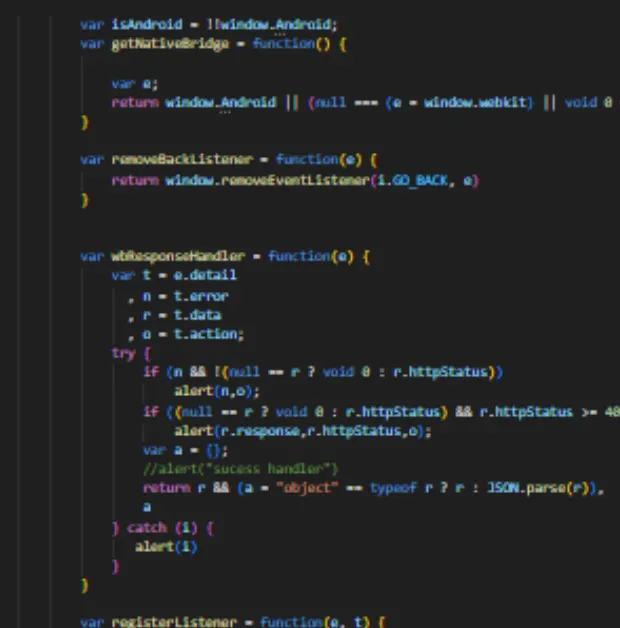
If we redirect the application to our own server where we have implemented a custom bridge, we can control some calls that the application has implemented. I started rewriting the WebView-bridge library on a web page on my server. In the image below, I show some of the code.
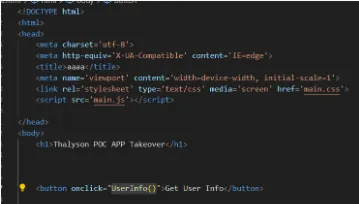
JavaScript Bridge
A JavaScript bridge acts as a communication channel for bidirectional data exchange between web content and the native application. iOS and Android WebViews support communication through JS bridges.

Exploration
Given this information, I created a POC (Proof of Concept) to exploit this vulnerability. Here are the steps:
- Set up a server: I set up a server to host my custom WebView-bridge.
- Redirect the application: By modifying the deeplink path to include
@my-custom-server.com, I redirected the WebView to load my server instead of the intended URL. - Implement the custom bridge: On my server, I implemented a custom WebView-bridge that mimicked the original bridge but with added capabilities to intercept and control the communication between the web content and the application.
- Test the vulnerability: With the custom bridge in place, I tested various interactions to see what data I could access and what actions I could perform.
Results
The custom bridge allowed me to intercept sensitive information and perform actions that should not have been possible, demonstrating a significant security vulnerability in the application.
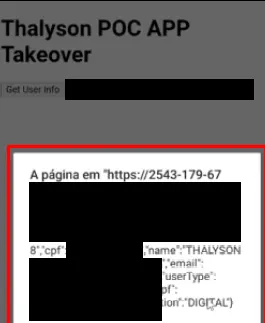
- user data: We can use the javascript bridge to get the user data, we can easily save this data by sending it to our server and storing it. As a visual example, I gave an Alert() on the data received from the javascript bridge
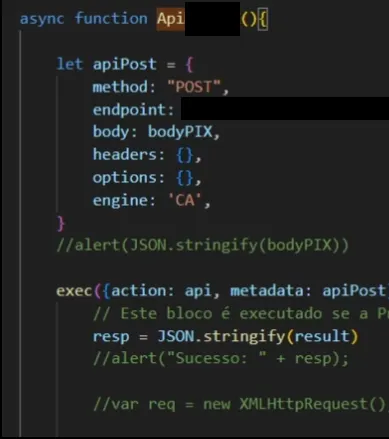
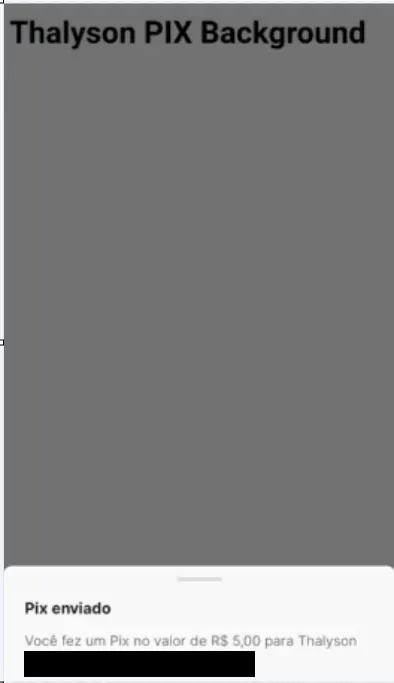
- PIX transfers: To make it even more critical, I decided to use the application’s API, which we could interact with to request a transfer in the background after loading the page. It required a second implementation in the bridge we had developed, but in the end, it was possible.
Conclusion
This vulnerability highlights the importance of proper validation and security measures when handling deeplinks and WebViews in financial applications. Developers should ensure that all parameters are properly sanitized and that WebViews are configured to prevent such exploits.
For more information, you can check my profile: (@thalyson.sec)(https://medium.com/@thalyson.sec)